Listening
Practice made simple.
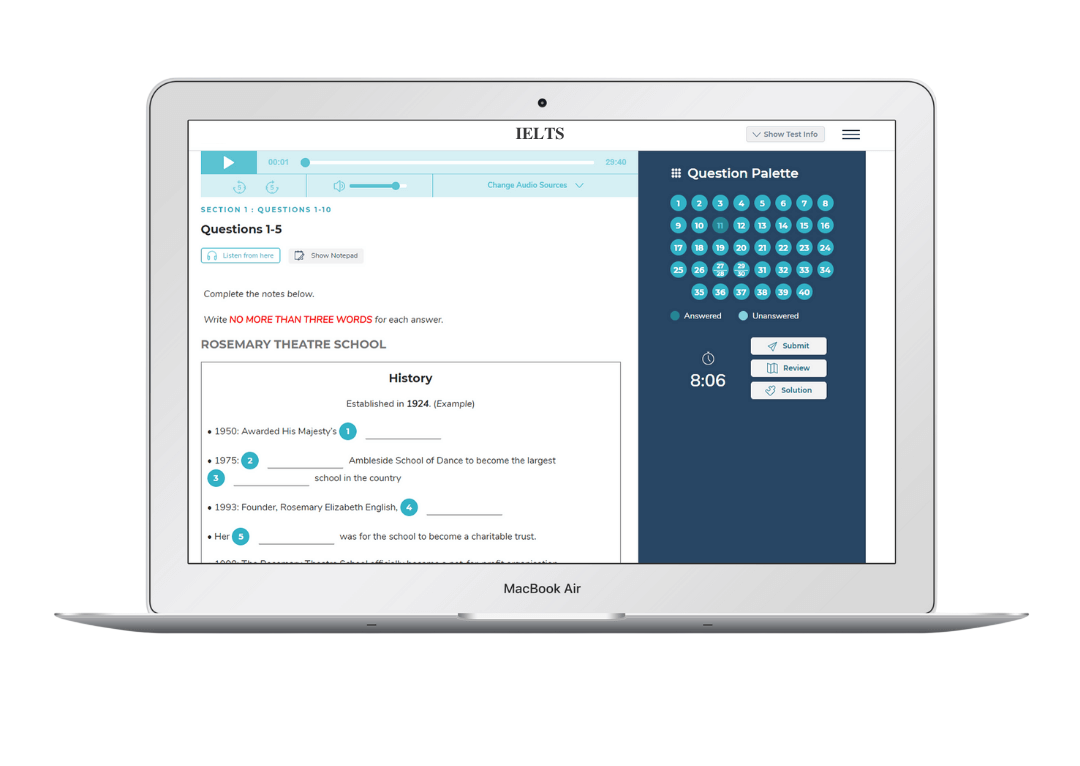
Experience a real IELTS-style listening test interface with a built-in notepad to capture key points while you practice. Discover important details you might otherwise miss and improve your performance by noting and reviewing them effectively.
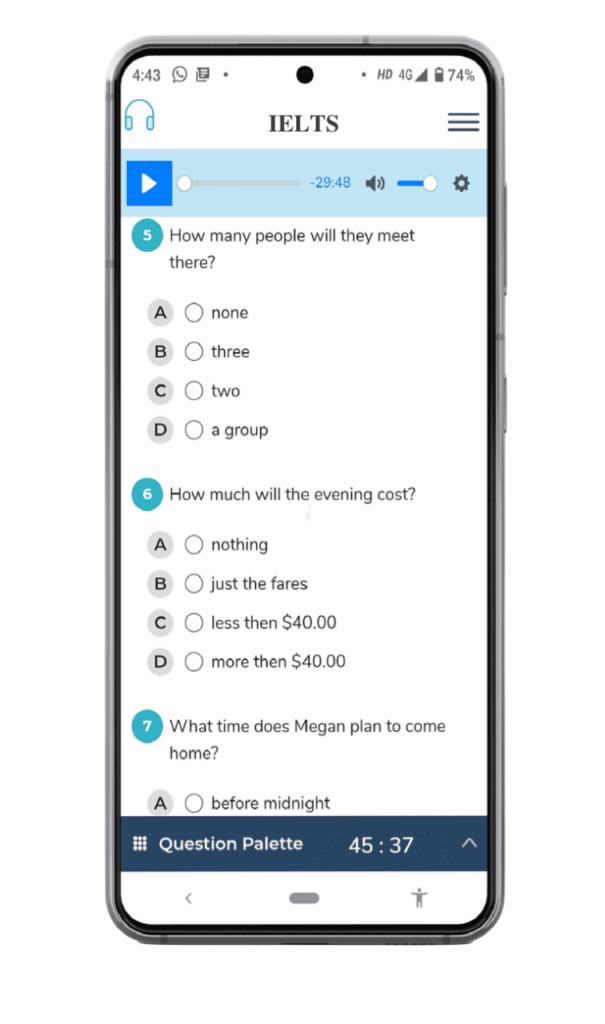
Mobile View
Experience
Offered by inventive features that work towards the interest of the target audience and boost your businesses. Here’s how it assists in better learning,
Listen Anytime
This feature allows learners to replay the audio as many times as needed, from any point during practice. It helps users focus on details, improve understanding, and practice listening skills with full flexibility.
Take Notes Easily
An integrated notepad within the test lets learners quickly jot down important points while listening. It’s simple to use, intuitive, and requires no prior training, making note-taking effortless during practice.
Question Palette
The question palette gives students full control during the test, allowing them to move instantly to any question at any time. It clearly shows which questions have been answered, left unanswered, or not visited yet, helping learners manage their time more effectively. Answered, unanswered, and unvisited questions are visually highlighted, making it easy to track progress at a glance.

Question Types
Practicing a variety of question types within a single test helps learners build strong exam strategies and prepares them more effectively for the real IELTS exam.
Single Choice
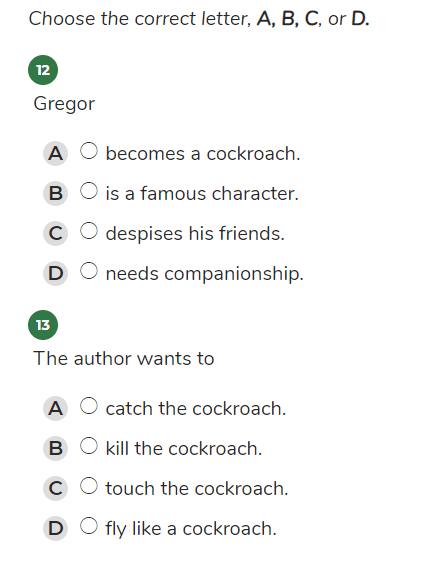
Only one option can be selected at a time. Unlimited options can be added out of which one is chosen as correct.
Select Type
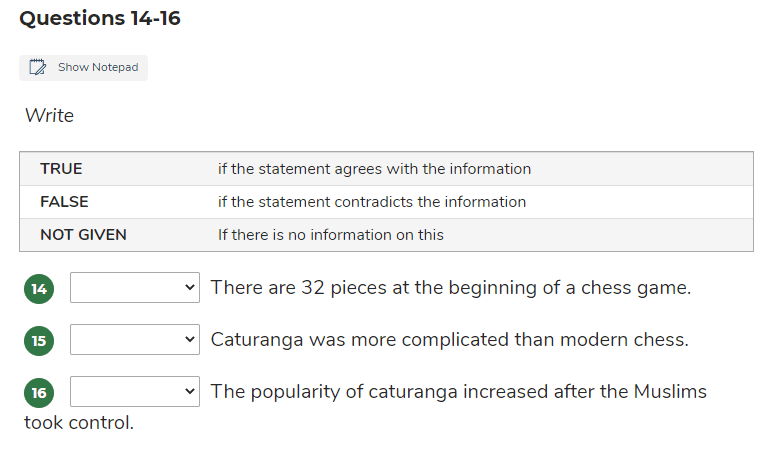
Question type such as true-false or paragraph summary comes in the form of select type question in IELTS.
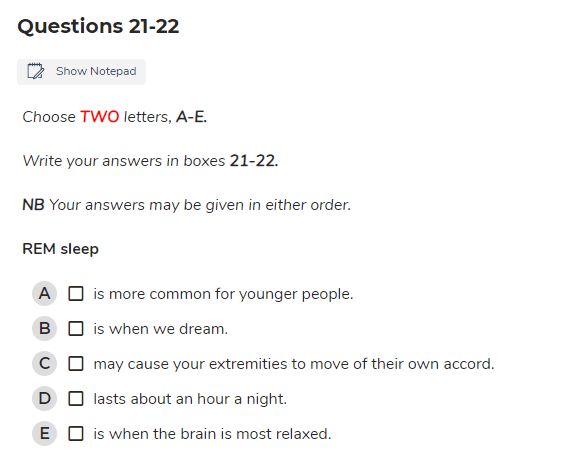
Multiple Choice
Multiple options can be selected as an answer each holding 1 mark.
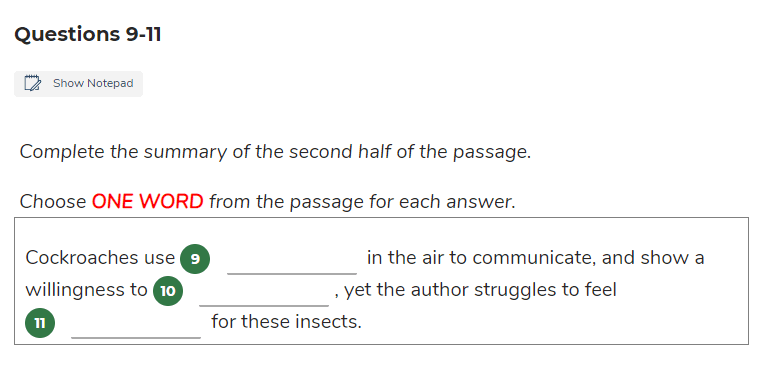
Filll in the Blank
Fill in the blank is a open answer type option, which can be single or in the form if a paragraph.
Result Page
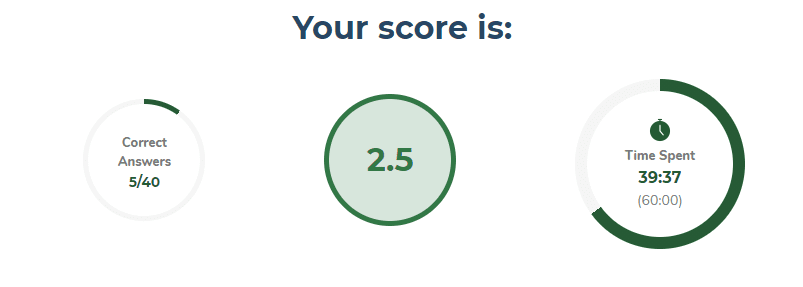
Once the learner submits their response, the result page is an advanced representation or detailed reporting of their performance in the test wherein scores reflect test takers’ strength of the preparation, time taken highlights their organizational skills and answer key traces out their accuracy.
It is supported by a thorough and useful explanation consisting of supporting hints, highlighted paragraphs and sentences from where the question has been asked and location of the answers which helps in bringing the learner a step closer to a great band score.
Scores
The scores achieved reflects the preparation level of the learner, and accordingly embarks motivation in them to improvise and score better.
Detailed Explanation
Getting a detailed explanation forms a better and in-depth understanding of a concept amongst the learners
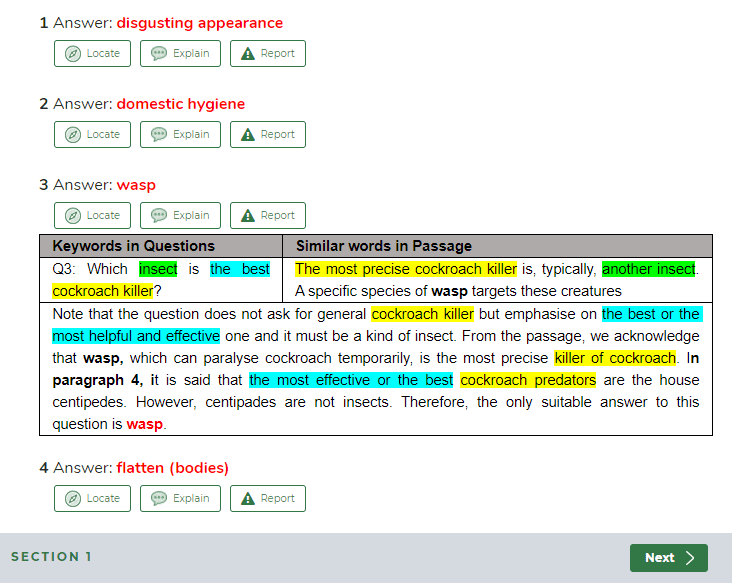
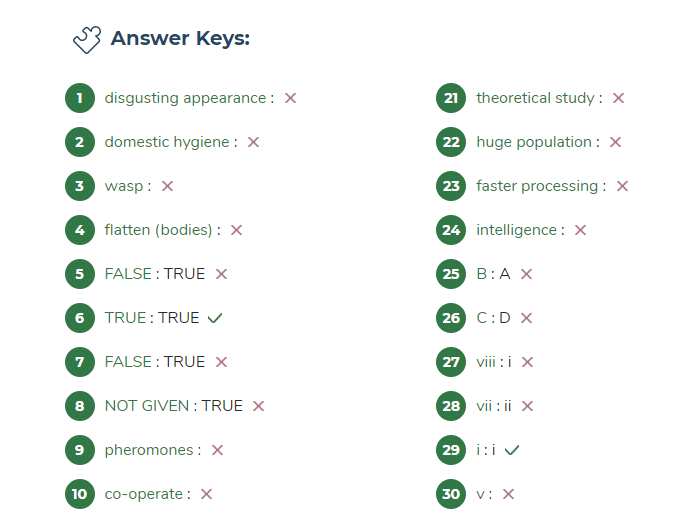
Answer Keys
The answer key accounts for the accuracy of answers….
Answer Location
To every answer, you can see a locate option attached which lets you know where the answer for that particular question is located. Hence, it becomes easy for the candidate to locate any question.

Features and Benefits of our IELTS Listen Module
1.In this particular module of examination, candidate has to listen an audio clip of around 30 minutes whose points are to be kept in mind for answering to further questions asked in this section. Those questions are made from that particular audio clip only. Our software allows the candidate to listen to that audio clip as many times he/she wants and it can be played from any split instant of time.
2. Relating to the type of questions in this section, you’ll see questions in several ways that are to be decoded. The various types that you will look to in the question in this section are
➢ Multiple Choice Questions
➢ Fill in the blank
➢ True/False
➢ One word or Single Choice
➢ Matching
➢ Plan, Map, Diagram, Labeling
➢ Yes/No or not given
3. Time management strategy in an examination is the most important thing you can do to succeed. Here, a timer will always be set on right side of the screen to retain you on time to finish your task of completing all questions in the palette.
4. There is a question palette located on right side of the main screen in which you can jump to any question anytime during the test whenever required. It also separately shows which question has been answered by you and the questions you haven’t visited or answered yet.
5. A review tab is also provided on one side of the screen that permits the person giving test to check and review if all the questions are completed and submitted or not. Complete, incomplete and not visited questions are differently highlighted in the palette.
6. Coming to submission process, after submission of test for this section shows the result page that displays:
➢ Band score of that particular person giving exam
➢ Gained marks out of 40 as the test is of 40 marks in maximum
➢ Total time taken by a participant to complete the test
➢ Total number of questions answered correctly and wrong
➢ Answer key to all questions of the test
➢ Explanation to all the answers from the audio
7. Locate tool to every question will let you know where the answer has come from; the audio will be played from that particular instant of time. A candidate can listen to the clip as and when required.
For any issue related to answer or explanation to any problem, report section is also prepared for the users so that there should be no doubt left after exploring the whole software and candidate gets mingled and friendly with it.
1. After completion of all tasks, a leader board is displayed on the screen which shows the names and current scores with the ranks of participants. It works as a real-time feedback system.
2. Now, Let us have a look on the benefits of listening module of IELTS software that we provide and why it must be preferred over others. They are under listed here:
3. Practicing several patterns of questions in a single test will early and easily lead to great preparation of the candidate going to appear in the examination.
4. Timer, a specialized clock helps the candidate to complete the test on time and avoid delays. It is significant in configuring the appeared person’s potential throughout.
5. Question palette tab assist the person to jump over any question very easily and fast. This enables one to attempt question of their choice any time during the test.
6. Review tab on screen aid the candidate with systematic evaluation of the questions attempted by him/her which will enable the person to finish the task and be on time.
7. The final page that is result represents your performance in the test. Marks will let you know your strength of preparation, time taken will let you know how organized are you, answer key will tell your correctness and exactness, explanation to all the answers will increase your understanding of the topics and all this together will considerably prepare you to the actual level of IELTS examination.
8. To every answer, you can see a locate option attached which lets you know where the answer for that particular question is located. Hence, it becomes easy for the candidate to locate any question. Report column will allow you to complain if you are not satisfied with the answer for a particular problem. Through all this, you’ll easily become friendly with the software. It enhances interaction with the audience and communication becomes convenient.
9. One of the great merit of this section is an aspirant can listen to the audio clip as many time they want from any instant of time to practice substantially for the main IELTS examination. One can click on ‘Listen from here’ option whenever required.
All these above listed features and benefits are going to make you ready and draw up to the greatest level of accuracy in attempting the test and cracking it.


© 2025 by Eduma, All Rights Reserved.